
Settings
Every Quotanto option under WooCommerce, Settings, Quotes, and what it does.
Products
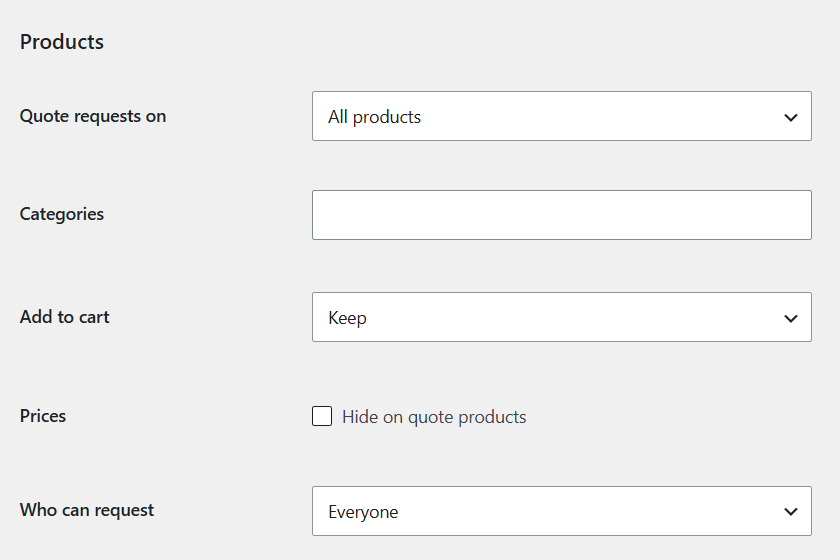
- Quote requests on
- All products, selected categories, or only products you switch on.
- Categories
- Used with “Selected categories”.
- Add to cart
- Keep it, or replace it with the quote button.
- Prices
- Hide them on quote products.
- Who can request
- Everyone, or logged-in customers.
- Customer roles
- Limit logged-in requests to these roles. Empty means all.
- Placement
- Add the button to product pages automatically. Quote for the whole cart, on the cart page.
Form
- Button text
- Your own wording. Empty uses “Request a quote”.
- Phone
- Hidden, optional or required.
- Note
- Hidden, optional or required.
- Privacy notice
- Show your checkout privacy text under the form.
- Captcha
- Use your captcha plugin on the request forms. Appears when a supported one is active.
Quotes
- Valid for (days)
- How long a sent quote stays open. 14 by default.
One product at a time
Edit a product and set “Quote requests” in the General tab: Store default, On or Off.